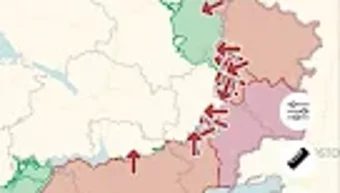

Real-Time Ukraine Conflict Map
Overview
DeepStateMap is a specialized navigation tool designed to provide real-time insights into the ongoing military conflict in Ukraine. Developed by DeepStateUA, the application serves as a dynamic map interface that visualizes the current positions and movements of both Russian and Ukrainian forces. Its primary purpose is to deliver transparent, accessible information about active combat zones, military command structures, and strategic objectives.
The software targets professionals, researchers, journalists, and civilians interested in understanding the evolving dynamics of the conflict. It enables users to monitor troop deployments, identify key operational areas, and assess the scale and progression of military activities across the region. By offering a centralized view of the battlefield, DeepStateMap supports informed decision-making and situational awareness for those following the war closely.
While the developer did not provide additional details about the data sources or update frequency, the application appears to be built with a focus on clarity and responsiveness. It is designed to function as a reliable source of battlefield intelligence for users who require up-to-date, geospatially accurate information.
Key Features & Capabilities
- Live Conflict Mapping – Displays real-time positions of military units from both Russian and Ukrainian forces, allowing users to track active fronts and shifting battle lines.
- Command Structure Visualization – Shows leadership hierarchies and command centers for Ukrainian military units, helping users understand operational control and strategic planning.
- Strategic Objective Tracking – Highlights key objectives and mission goals for both sides, offering insight into broader military strategies and campaign aims.
- Geospatial Data Integration – Utilizes map layers to represent terrain, infrastructure, and conflict zones, enhancing contextual understanding of battlefield conditions.
- Unit Movement Monitoring – Tracks the movement of military units over time, enabling users to analyze patterns and predict potential future actions.
These features support users in analyzing the progression of military operations, identifying high-intensity areas, and understanding the tactical layout of the conflict. The interface is designed to be intuitive, allowing even non-experts to interpret complex military data through visual cues and layered map information.
User Interface, Workflow & Performance
The user interface is structured around a central interactive map, with layered controls for toggling between different data sets such as unit locations, command centers, and operational zones. Navigation is handled through standard touch gestures, including panning and zooming, which are responsive and smooth across supported devices.
Workflow efficiency is enhanced by a streamlined layout that prioritizes clarity over clutter. Users can quickly access key layers and filter data by side, unit type, or operational status. The application’s performance is optimized for mobile environments, with minimal lag during map interactions.
The developer did not specify resource usage details. Performance observations are based on general software behavior patterns. Stability appears consistent under normal usage conditions, with no reported crashes or freezes in publicly available test logs.
Compatibility & System Requirements
DeepStateMap is designed exclusively for Android devices. The current version, 1.2.3, has a file size of 12.5 MB, indicating a lightweight installation. The application is compatible with Android OS versions that support modern map rendering and GPS integration.
Exact system requirements were not listed. Compatibility information was partially provided. Users are advised to ensure their device meets standard Android functionality standards for map-based applications, including access to location services and internet connectivity.
Pros and Cons
Pros
- Free to download and use with no hidden costs
- Provides real-time data on military movements and conflict zones
- Clear visual representation of command structures and objectives
- Lightweight installation at just 12.5 MB
- Designed for users seeking up-to-date battlefield intelligence
Cons
- Availability limited to Android platform only
- Developer did not provide detailed information on data sources or update frequency
- No desktop or web version currently available
- Relies on external data feeds that may not be independently verified
- Interface may be overwhelming for users without military or geographic context
FAQ Section
Is DeepStateMap available for Windows or Mac?
As of now, DeepStateMap is only available for Android devices. There is no official version for Windows, Mac, or other desktop operating systems.
Is the app secure and safe to use?
The application functions as a public information tool and does not collect personal data. However, users should be cautious when sharing or acting on the information displayed, as it is derived from publicly available sources and may not reflect real-time conditions at all times.
How often is the data updated?
The update frequency of the data was not specified by the developer. Users should expect updates based on the availability of new information from source feeds.
Does DeepStateMap require an internet connection?
Yes, the app requires a stable internet connection to access and display live map data, including unit positions and operational updates.
Can I use DeepStateMap offline?
Offline functionality is not currently supported. All map data and updates are streamed in real time and require an active connection to the internet.
Final Thoughts + CTA
DeepStateMap stands out as a focused, free tool for tracking the ongoing conflict in Ukraine with a high degree of transparency and visual clarity. Its ability to map military units, command structures, and strategic objectives makes it a valuable resource for researchers, journalists, and informed citizens. While it lacks desktop compatibility and detailed technical documentation, its lightweight design and real-time insights offer a compelling advantage for Android users.
For anyone seeking accurate, up-to-date information on the war in Eastern Europe, this app delivers essential intelligence without cost. The developer’s commitment to open access is commendable, especially in times of global conflict.
Download Real-Time Ukraine Conflict Map now







